There is a predictable cycle that plays out in thousands of households every year. An adult child reads about smart home technology for aging parents. They get excited. They order a tablet, a video doorbell, a smart display, a fall detection watch, a medication dispenser, and a couple of smart plugs. They spend a weekend installing everything, walk their parent through how it all works, and drive home feeling good about the safety net they just built.
Three months later, the tablet is in a drawer. The smart display shows the weather but nobody talks to it. The fall detection watch is on the nightstand because it was uncomfortable. The medication dispenser is unplugged because it beeped too much. The only things still working are the smart plugs and the video doorbell, because those require zero daily effort from the senior.
This pattern is so common that caregivers have given it a name: the technology graveyard. And the saddest part is not the wasted money. It is the wasted opportunity. Each abandoned device represents a safety gap that could have been filled if the right device had been chosen in the first place.
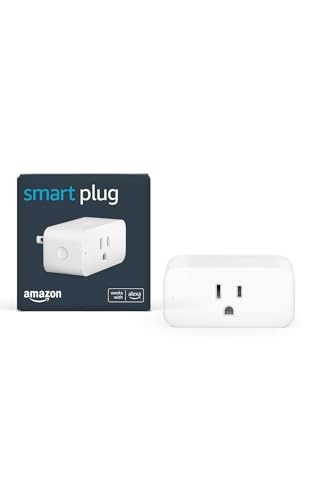
Amazon Smart Plug
Voice-controlled smart plug that lets you control any lamp or appliance with Alexa
Check Price on AmazonThe One Rule That Predicts Success
After hundreds of families have reported their experiences, one rule stands out above everything else: devices that require no behavior change from the senior get used. Devices that require new daily habits get abandoned.
This sounds simple, but its implications are profound. It means that the “best” device in a category, the one with the most features, the highest ratings, the most impressive technology, is often the wrong choice for an aging parent. The right choice is the one that works invisibly.
A smart plug is the perfect example. Plug it in, connect a lamp or a coffee maker, and set a schedule. The lamp turns on at sunset and off at midnight. The coffee maker starts at 7 AM. Your parent does not need to do anything differently. They do not need to learn an app, press a button, or change a habit. The technology simply works in the background, and the benefit (a well-lit house, coffee ready in the morning) is immediate and obvious.
Contrast this with a smart thermostat. It is objectively better technology. It saves money, maintains comfort, and provides remote monitoring. But it replaces something the senior already knows how to use: the old thermostat on the wall. Now they need to learn a new interface, understand a new display, and resist the urge to override the schedule. Many seniors find the new thermostat confusing, set it to a fixed temperature, and never touch it again. The smart features go unused.
Voice-First Beats Screen-First
Among devices that do require interaction, voice-controlled devices have dramatically higher adoption rates than screen-based devices among seniors. The reason is straightforward: talking is a skill every senior already has. Tapping, swiping, pinching, and scrolling are skills many seniors never fully learned.
The Amazon Echo Dot is one of the most successful aging-in-place devices not because it is the most powerful, but because speaking to it feels natural. “Alexa, what time is it?” requires no learning curve. “Alexa, call my daughter” is easier than finding a contact on a phone. “Alexa, turn on the lights” is simpler than walking to a switch.
Caregivers find that seniors who reject tablets and smartphones will happily talk to a voice assistant throughout the day. The device fits into their existing world rather than demanding they enter a new one. It is a subtle but critical distinction.
The failure pattern with voice assistants is also instructive. Families who set up an Echo and show their parent 30 things it can do often see low adoption. The parent forgets most of the commands and stops trying. Families who set up an Echo and teach their parent three specific things, like “call me,” “set a timer,” and “play music,” see much higher usage. The parent masters three commands, feels confident, and gradually discovers new ones on their own.
Single-Purpose Devices Win
A tablet can be a phone, a camera, a web browser, a book reader, an email client, a video calling device, a game console, and a remote control. That versatility is exactly why it fails for many seniors. Too many options create decision paralysis. The home screen alone presents a grid of icons that all look similar and do different things. For someone with even mild cognitive decline, this is overwhelming.
Single-purpose devices eliminate that problem. A digital picture frame does one thing: it shows photos. A medication dispenser does one thing: it dispenses pills. A medical alert pendant does one thing: it calls for help. There is no home screen, no menu, no decision tree. There is one button or no buttons at all.
Families report the highest satisfaction with technology that their parent never has to think about. The device just does its job, and the senior gets the benefit. Every additional step between “device exists” and “senior gets benefit” is a point where adoption can fail.
The Behavior Change Problem
Cognitive psychology research consistently shows that forming new habits gets harder with age. A 30-year-old can adopt a new morning routine in about three weeks. For a 75-year-old, the same habit formation process can take months, and it may never fully stick because the executive function required to override old patterns has declined.
This has direct implications for technology adoption. A fall detection watch requires a new behavior: putting on the watch every morning and charging it every night. A smart pill dispenser requires a new behavior: walking to the dispenser when it beeps instead of reaching for the old pill box. A video calling tablet requires a new behavior: tapping “answer” when the screen lights up instead of picking up the familiar telephone handset.
Each of these behavior changes is small. But small does not mean easy. When you layer multiple new behaviors on top of each other (as often happens when a family “tech-ups” all at once), the cognitive load becomes unsustainable. The senior feels overwhelmed, stops trying, and the technology graveyard gains new residents.
The solution is not to avoid technology. It is to introduce it one device at a time, starting with the device that requires the least behavior change, and waiting until it is fully integrated before adding the next one. Patience is not just a virtue here. It is a strategy.
What the Cheapest Option Gets Right
There is a counterintuitive finding in the data on technology adoption among seniors: the cheapest device in a category is often the one that gets used the most. Not because price matters, but because cheap devices tend to be simple devices, and simple devices tend to require less learning.
A $10 smart plug gets used more than a $250 smart home hub. A $50 Echo Dot gets used more than a $400 tablet. A basic digital clock with large numbers gets used more than a smart display that also shows the weather, calendar, and video calls.
This does not mean expensive devices are bad. It means that the additional features that justify the higher price are often features the senior will never use. Families who buy the premium option frequently report that they are paying for capabilities that sit dormant because the senior only uses the basic function.
Starting cheap has another advantage: lower stakes. If a $10 smart plug does not work out, nobody is upset. If a $400 tablet does not work out, there is frustration, guilt, and often a reluctance to try something new. Starting with a low-cost, low-risk device builds confidence in both the senior and the caregiver. Success breeds willingness to try the next thing.
The Adoption Curve for Seniors
Technology adoption in the general population follows a well-known curve: early adopters jump in, the majority follows, and laggards eventually come around. For seniors, the curve looks different. It is slower, flatter, and heavily influenced by a few factors that do not apply to younger users.
Trust is the gatekeeper. Seniors are more likely to adopt technology recommended by their doctor, their pharmacist, or a trusted family member than technology they see advertised. Marketing does not build trust for this demographic. Personal relationships do.
Fear of breaking something is real. Many seniors avoid interacting with technology because they are afraid of pressing the wrong button and causing damage. This fear is not irrational. They grew up in a world where machines broke if you used them wrong. The concept of a device that can be factory-reset if something goes wrong is foreign. Reassurance that “you cannot break it” matters more than a feature list.
The setup experience determines everything. If the first experience with a new device is confusing, frustrating, or embarrassing, the device is dead. It does not matter how useful it would be once mastered. If the setup feels bad, the senior will not engage with the device again. This is why the caregiver doing the setup should never show impatience, never say “it’s easy,” and never make the senior feel slow. The first 30 minutes with a device determine whether it becomes a tool or a dust collector.
A Practical Adoption Sequence
Based on what families consistently report works, here is a suggested order for introducing technology to an aging parent’s home:
First: Smart plugs. Zero behavior change required. Immediate, visible benefit. Set up lamps on timers so the house is always well-lit. Connect a coffee maker so it starts automatically. These wins build trust in the concept of smart home technology without asking the senior to interact with anything new.
Second: A voice assistant. Teach three commands. Make them useful commands that replace something harder (calling a family member, setting a kitchen timer, asking for the weather). Do not teach more until these three are automatic.
Third: A single safety device. A smart smoke detector, a water leak sensor, or a door sensor. Something that provides a safety benefit without requiring daily interaction. The senior may not even know it is there, but you will know, and it will alert you when something is wrong.
Fourth: The problem-specific device. If medication management is the biggest concern, now is the time for the pill dispenser. If falls are the worry, now is the time for the wearable. By this point, the senior has had positive experiences with technology. They are more open to trying something that does require a behavior change.
This sequence typically takes three to six months, and that pace is intentional. Rushing it is the single most common mistake families make.
The Device That Changes Everything
Almost every family that successfully integrates technology into a senior’s life points to one “gateway” device that changed their parent’s attitude. The specific device varies, but it always shares one characteristic: it solved a problem the senior actually cared about.
For one family, it was a smart plug on a lamp that their mother had been struggling to reach the switch for. The lamp now turns on when she says “Alexa, good morning,” and that single moment of magic transformed her opinion of technology.
For another family, it was a video doorbell that let their father see who was at the door without getting up. He had stopped answering the door because the walk was painful. The doorbell gave him his independence back.
The lesson is clear: start with the problem, not the technology. Ask your parent what frustrates them. What is hard? What do they avoid doing because it takes too much effort? The answer to that question points you to the device that will not just be used. It will be valued. And a device that is valued opens the door to everything else.