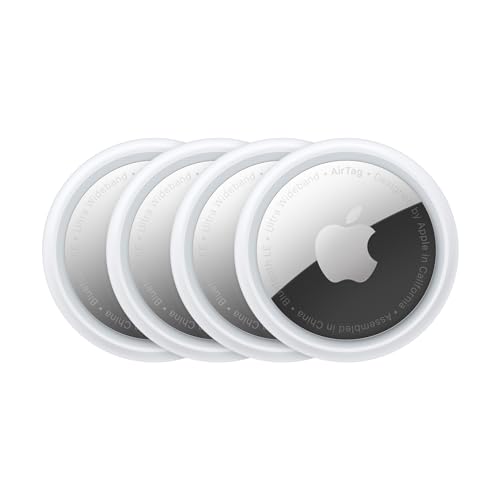
Is the Apple AirTag 4-Pack Worth It for Seniors?
The Apple AirTag (4-Pack) can be a game-changer for seniors who often misplace their belongings. Whether it’s keeping track of keys, wallets, or even a pet, these small devices offer peace of mind by easily locating items. Based on our research, we recommend the AirTag for tech-savvy seniors who are already using Apple products and have a reliable support system to help with initial setup. However, it may not be ideal for those unfamiliar with smartphones or who do not use Apple devices.
For seniors, misplaced items can lead to frustration and even missed appointments. The AirTag helps by providing a simple and effective solution to locate lost items using an iPhone. While professional services like GPS trackers cater to more comprehensive needs, they often come with monthly fees and are designed for more critical tracking, such as monitoring someone with dementia. The AirTag, on the other hand, is a one-time purchase and integrates seamlessly with Apple’s ecosystem, making it our top pick for basic item tracking.
Who This Is For (and Who It’s Not For)
The Apple AirTag is right for seniors who are comfortable with technology and use an iPhone. It’s perfect for those living independently who want a simple solution to keep track of everyday items. If your parent is already accustomed to using Apple products, the AirTag can effortlessly fit into their lifestyle.
However, if your parent does not use an iPhone or finds technology overwhelming, this might not be the right choice. Consider alternatives like the Tile Mate, which offers easier setup and compatibility with both Android and iOS devices. Additionally, for seniors with cognitive impairments or those prone to wandering, a dedicated GPS tracker like the AngelSense or GPS SmartSole might be a better fit.
Why This Beats the Alternatives
The Apple AirTag stands out due to its seamless integration with the Apple ecosystem. Unlike competitors such as Tile Pro or Samsung SmartTag, the AirTag works natively with the Find My app, which is pre-installed on all Apple devices. This integration simplifies the user experience and reduces the learning curve for those who are already familiar with Apple’s interface.
Another advantage is the AirTag’s precision finding feature, which uses Ultra Wideband technology to provide more accurate location tracking than many of its competitors. This is particularly beneficial for seniors who might struggle with generic instructions or maps showing approximate locations. Finally, the battery life of the AirTag is notable, often lasting over a year without needing replacement, thus reducing maintenance hassle.
Key Features That Matter for Seniors
Seamless Integration with Apple Devices: The AirTag works with the Find My app, which is already on most iPhones and iPads. This means there is no need to download additional apps, making it straightforward for seniors familiar with Apple products.
Precision Finding: Using Ultra Wideband technology, the AirTag provides precise location data, showing exactly how far away and in which direction the lost item is. This feature is particularly useful for seniors who may find it hard to interpret vague instructions.
Long-lasting Battery: The AirTag’s battery lasts up to a year and is user-replaceable with a standard CR2032 coin cell. This longevity means less frequent battery changes, which is ideal for seniors who might forget to replace batteries regularly.
Privacy and Security: Apple’s emphasis on privacy ensures location data remains private. Each AirTag’s location is encrypted, and only the owner can access it, providing assurance against unwanted tracking.
Compact and Lightweight Design: Each AirTag is small and easily attachable to various items without adding noticeable weight or bulk. This makes it suitable for keys, wallets, bags, and more without inconvenience.
Setup: What to Expect
The physical setup of the Apple AirTag is straightforward and can be done in about 10 minutes. Simply pull the tab to activate the battery, then bring the AirTag close to your iPhone. The iPhone will recognize the AirTag automatically, prompting you to name the device and assign it to an Apple ID.
Next, you’ll open the Find My app on your iPhone, where the AirTag will appear under the ‘Items’ tab. From here, a caregiver can assist the senior in naming the AirTag (such as ‘keys’ or ‘wallet’) and setting up location notifications. It’s advisable to test the setup by misplacing the tagged item and using the app to locate it, ensuring everything is working correctly. This process should be simple for those already using Apple products.
What to Know Before Buying
One of the main questions potential buyers might have is whether there are any monthly fees associated with using AirTags. Unlike some other tracking solutions, the AirTag does not require a subscription or additional fee after purchase. However, all features are dependent on having an iPhone or iPad for setup and tracking, so make sure the senior has access to one before purchasing.
Be aware that while the battery life is impressive, lasting up to a year, it will eventually need replacing. The replacement CR2032 battery is commonly available and inexpensive, but the task might require some dexterity. Moreover, the AirTag relies on Apple’s network of devices, so it functions best in urban areas with a high density of Apple users. In more rural or isolated locations, tracking might be less reliable. Compatibility is limited to Apple devices, so if the senior uses Android, this product would not be suitable.