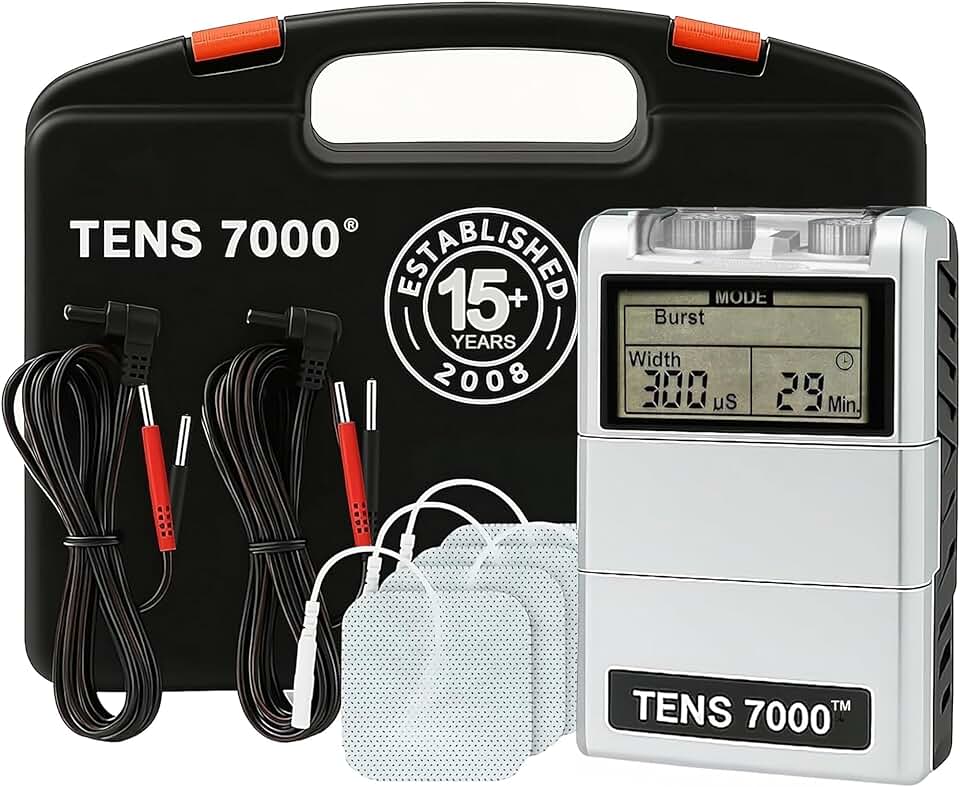
Is the TENS 7000 Digital TENS Unit Worth It?
Chronic pain can significantly impact daily life, especially for seniors who may rely on mobility for independence. The TENS 7000 Digital TENS Unit with Accessories offers a non-invasive, drug-free method to manage pain. For seniors dealing with arthritis, nerve pain, or other chronic conditions, this unit provides a practical solution to reduce discomfort. Our research suggests that for the price of $39.99, this unit is a worthwhile consideration for those seeking accessible pain relief at home.
For seniors, pain management often involves costly medications or frequent visits to healthcare providers, which can be financially and physically taxing. The TENS 7000 offers a cost-effective alternative with no ongoing fees after purchase. Its portability and ease of use make it an appealing choice for those wishing to manage pain independently. This product stands out because it provides the flexibility of adjusting intensity levels to suit varying degrees of pain, something not all units offer.
Who This Is For (and Who It’s Not For)
The TENS 7000 is ideal for seniors who experience chronic pain conditions such as arthritis, back pain, or neuropathy. It’s especially beneficial for individuals who prefer to manage their pain without medication or who need a portable solution that can be used anywhere, whether at home or on the go. This unit is also suitable for those who appreciate having control over their treatment, with adjustable intensity levels and modes.
This device is not the best choice for seniors with severe dexterity issues, as placing electrode pads accurately requires some hand coordination. Additionally, if significant memory issues are present, remembering the correct settings might be challenging without assistance. For those who already have a more comprehensive pain management plan through their healthcare provider, this unit might offer limited additional benefit. Consider consulting with a healthcare professional if you’re unsure.
Why This Beats the Alternatives
The TENS 7000 stands out from competitors such as the iReliev TENS Unit or the Omron Pocket Pain Pro due to its affordability and high user control. Where many units offer limited settings, the TENS 7000 provides multiple modes and adjustable intensity, allowing users to tailor their treatment to their specific needs. The device’s robust design ensures durability, making it a reliable companion for long-term use.
Unlike some alternatives which require frequent battery changes or have limited battery life, the TENS 7000 operates effectively on a 9V battery, allowing for longer sessions without constant power interruptions. Its straightforward setup and lack of hidden costs make it a practical choice compared to more complex units that may require technical know-how or additional accessories.
Key Features That Matter for Seniors
Adjustable Intensity Levels: The unit allows for precise control over intensity, which is crucial for managing different levels of pain. Seniors can start at a lower intensity and gradually increase as needed. This feature ensures that the device can be used comfortably by individuals with varying pain thresholds.
Multiple Modes: With several modes available, users can alternate between different types of stimulation, which helps in targeting specific pain areas. This versatility is particularly beneficial for seniors who may suffer from multiple types of pain.
Portability: The TENS 7000 is compact and lightweight, making it easy for seniors to carry around. Whether moving through different rooms in the house or traveling, the unit’s portability ensures that relief is always within reach.
Easy-to-Use Controls: Large buttons and a clear display make setting up and adjusting the device straightforward. For seniors who may struggle with small text or intricate controls, this feature enhances usability.
Durability: Built to last, the TENS 7000 can withstand frequent use without quickly wearing out. This is important for seniors who rely on it daily for pain management.
Setup: What to Expect
Setting up the TENS 7000 is straightforward, typically taking about 15 minutes. Start by inserting a 9V battery into the device, then connect the lead wires to the electrode pads. Attach the pads to the areas where pain relief is desired, ensuring they adhere properly to the skin.
Once the physical setup is complete, turn on the device and select the desired mode and intensity using the clearly labeled buttons. It’s advisable to start with a lower intensity and gradually increase it to find the most comfortable level. Caregivers can assist seniors by demonstrating how to place the electrodes and adjust settings, ensuring they are confident using the device independently. Testing different modes and intensities before regular use is recommended.
What to Know Before Buying
There are no ongoing monthly fees associated with the TENS 7000, which makes it a cost-effective solution for pain management. However, users should be aware that replacement electrode pads will need to be purchased periodically, as they lose adhesion over time. Ensuring compatibility with replacement parts is crucial to maintain the device’s effectiveness.
The device’s effectiveness can vary based on the type and intensity of pain, and it may not completely replace other pain management strategies. It is battery-operated, which means having spare 9V batteries on hand is essential to avoid interruptions. Additionally, it’s worth noting that while the device is robust, excessive dropping or mishandling could potentially affect its performance over time.