When Seconds Count
Margaret is 74 and lives alone in a two-story colonial in Connecticut. Last February, she slipped on the stairs carrying a laundry basket and hit the landing hard. She couldn’t get up. Her phone was charging in the kitchen, two rooms away. Within 60 seconds, her Apple Watch detected the fall, sounded an alarm, and when she didn’t respond, it called 911 automatically. Paramedics arrived in eight minutes. Margaret recovered fully.
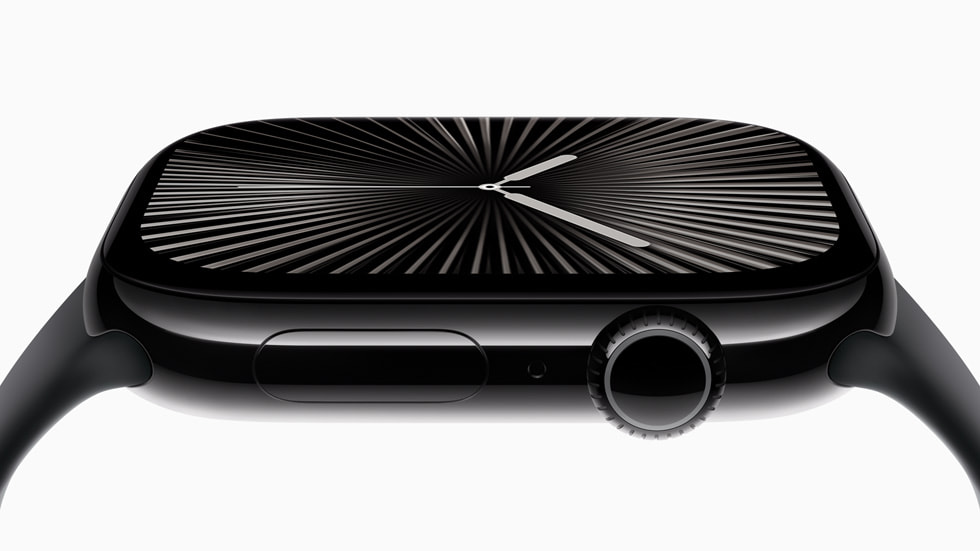
Stories like Margaret’s are exactly why the Apple Watch Series 10 is our top pick for fall detection. It is not a medical device marketed to seniors. It is a mainstream smartwatch that happens to have the most reliable life-saving features available on any wrist today.
Who This Is For (and Who It’s Not For)
The Apple Watch Series 10 is ideal for active seniors who already own an iPhone or whose family can provide one. It works best for people who want health monitoring without wearing something that screams “I need help.” If your parent is still driving, gardening, walking the neighborhood, or traveling, this watch covers them everywhere they go.
This is NOT the right choice for someone with moderate-to-advanced dementia who cannot manage a touchscreen. It is also not an option for anyone using an Android phone. If your loved one uses a Samsung, Google Pixel, or any non-Apple phone, look at our Medical Alerts pick instead.
Why the Apple Watch Series 10
Apple has invested more in fall detection algorithms than any other company. The Series 10 uses a combination of accelerometer and gyroscope data to distinguish between a stumble and a hard fall. Independent studies show it has the highest accuracy rate of any consumer wearable, with very few false alarms compared to dedicated medical alert devices that trigger on every jostle.
Beyond fall detection, it packs an impressive set of health features that actually matter for aging adults. The ECG app can detect atrial fibrillation, which is the most common heart rhythm disorder in people over 65. Blood oxygen monitoring runs continuously in the background. Sleep tracking identifies patterns that might signal health changes. And Crash Detection works in vehicles, automatically contacting emergency services after a serious car accident.
Key Features That Matter for Seniors
Fall Detection: Automatically detects hard falls and calls emergency services if you do not respond within one minute. Works whether you are at home, at the grocery store, or walking on a trail.
ECG and Heart Monitoring: Take a 30-second ECG reading anytime by touching the Digital Crown. The watch also alerts you to unusually high or low heart rates and irregular heart rhythms throughout the day.
Emergency SOS: Press and hold the side button to call 911 directly from the watch. It sends your location to your emergency contacts automatically. With cellular service, this works even when your iPhone is at home.
Medication Reminders: The built-in Medications app tracks prescriptions and sends reminders to the wrist. Family members can check whether medications were logged through shared health data.
Family Setup: An adult child can set up and manage the watch remotely from their own iPhone. You can configure everything without the senior needing to understand the technology behind it.
Setup: What to Expect
Setting up an Apple Watch takes about 30 minutes. Pair it with an iPhone, sign in with an Apple ID, and enable the health features you want. Fall detection turns on automatically for users over 55, so there is no buried setting to hunt for. For a parent who is not tech-savvy, plan to set it up during a visit. Once it is configured, they just need to put it on each morning and place it on the magnetic charger each night. The charger snaps on magnetically, so there is no fumbling with tiny cables or precise alignment.
What to Know Before Buying
You need an iPhone 8 or newer running the latest iOS. There is no way around this. The GPS-only model ($399) handles fall detection but can only call 911 when the paired iPhone is nearby. The GPS + Cellular model ($499) works independently anywhere there is cell coverage. If your parent frequently leaves their phone at home, the cellular model is worth the extra cost, plus about $10/month from your carrier.
Battery life is roughly 18 to 20 hours with normal use. For seniors who might forget to charge, put the charger on the nightstand and make it part of the bedtime routine. Apple Care+ ($79/year) covers accidental damage and is worth considering for anyone prone to bumping into things.