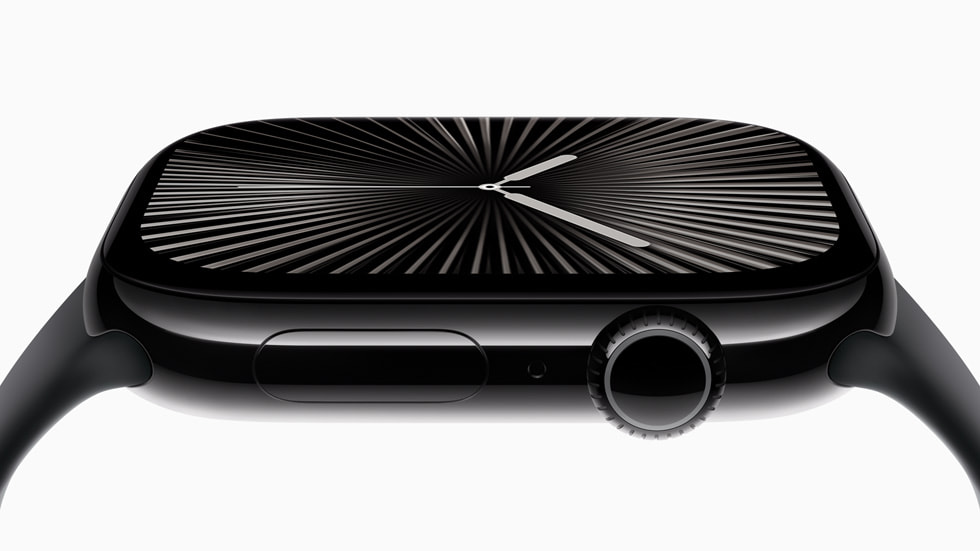
Is the Apple Watch Series 10 Worth It for Fall Detection?
For older adults who are at risk of falling, the Apple Watch Series 10 offers an effective solution with its sophisticated fall detection feature. Our recommendation is straightforward: if you’re a senior who is already comfortable with tech devices and looking for a multi-functional watch that goes beyond just fall alerts, this is a compelling choice. However, it might not be the right fit for someone who prefers simplicity over the comprehensive features of a smartwatch.
Fall detection is crucial for seniors living alone or for those who have experienced previous falls. The Apple Watch Series 10 addresses this by automatically alerting emergency contacts and services if it senses a fall. This watch provides peace of mind through its advanced technology, ensuring help is just a wrist motion away. While this might not replace a dedicated medical alert system with a typical monthly monitoring fee, the upfront cost of $399 is a one-time purchase for those who are already in the Apple ecosystem and do not need an ongoing subscription for this feature.
Who This Is For (and Who It’s Not For)
The Apple Watch Series 10 is perfect for tech-savvy seniors who are comfortable navigating a smartwatch and appreciate the added benefits of fall detection integrated into a device they might already use daily. It’s especially suitable for those who value fitness tracking, heart monitoring, and the convenience of a smartwatch, along with the reassurance of safety features.
If a senior already owns an Apple Watch with fall detection capabilities, such as a Series 8 or newer, it may not be worth the upgrade just for this feature. For those who might find a smartwatch’s interface overwhelming, or for dementia patients who may forget to wear the watch, a traditional medical alert device or GPS tracker might be more appropriate. The Lively Mobile Plus, a standalone alert system, is a viable alternative with a focus on simplicity and ease of use.
Why We Picked the Apple Watch Series 10
The Apple Watch Series 10 stands out because it combines advanced technology with practical safety features. Unlike competitors such as the Fitbit Sense 2 or the Samsung Galaxy Watch5, Apple’s fall detection is known for its accuracy and quick response time. The integration with emergency services is seamless, making it a reliable option for ensuring help is promptly on the way if a fall occurs.
Moreover, the Apple Watch offers a robust set of health features beyond fall detection, including heart rate monitoring and ECG, which are invaluable for seniors monitoring their health. The added benefit of being part of the Apple ecosystem means it integrates smoothly with other Apple devices, a significant advantage for those who are already invested in the brand’s products.
Key Features That Matter for Seniors
Fall Detection: This feature automatically detects a hard fall and initiates a call to emergency services if the wearer does not respond to an alert within a short period. This is particularly beneficial for seniors who may be at risk of falls, providing a crucial safety net for independent living.
Heart Monitoring and ECG: The watch provides real-time heart rate monitoring and can perform an ECG that detects irregular heart rhythms. This is invaluable for seniors keeping track of their cardiovascular health and can help in early detection of potential issues.
Usability and Design: The large, clear display and customizable watch faces make it easier for seniors with vision difficulties to use. The interface is intuitive, which helps those who might not be as tech-savvy navigate its features comfortably.
Integration with Apple Ecosystem: Seamlessly integrates with other Apple devices, which is advantageous for those already using iPhones or iPads. It allows for easy sharing of health data with family members or healthcare providers, particularly useful for remote monitoring.
Emergency SOS: Beyond fall detection, the Emergency SOS feature can be triggered manually, alerting contacts and services. This is an essential feature for any unexpected situations that might require immediate attention.
Setup: What to Expect
Setting up the Apple Watch Series 10 typically takes about 30 minutes and involves unboxing the device, charging it fully, and pairing it with an iPhone. Ensure you have the latest version of iOS on your phone to facilitate a smooth connection. The watch comes with a straightforward guide that walks you through the setup process, making it accessible even to those who might not consider themselves tech experts.
Once physically set up, you’ll need to configure the Apple Watch app on your iPhone. This involves signing in with your Apple ID, which could require assistance from a caregiver if passwords need to be entered. You will then enable the fall detection feature and set up emergency contacts. Testing the fall detection is recommended to ensure it alerts the right contacts and that the wearer feels comfortable using it.
What to Know Before Buying
There are no additional monthly fees specifically for fall detection with the Apple Watch Series 10. However, keep in mind that you need an iPhone to use the watch, which is an additional cost if you don’t already own one. Also, while the watch offers many safety features, these do not replace professional monitoring services that some seniors might require.
The watch has an approximate 18-hour battery life, which means it will need to be charged daily. This could be a challenge for those who might forget or might find daily charging cumbersome. Additionally, the fall detection feature requires the watch to be worn at all times, which may not be comfortable for everyone. Replacement bands and charging accessories, if needed, can be an additional cost, so it’s advisable to consider these potential expenses.