A Window to Your Family, Opened by Your Voice
Helen is 82 and has arthritis in both hands. Unlocking a smartphone is painful. Typing a text message takes five minutes. Scrolling through her contacts to make a phone call is an exercise in frustration. Last Thanksgiving, her granddaughter put an Echo Show 8 on her kitchen counter and spent 20 minutes setting it up. Now, every Sunday morning, Helen says “Alexa, call Sarah” and her granddaughter’s face appears on the screen. They talk for an hour while Helen makes breakfast. No buttons, no passwords, no fumbling with a phone. Just her voice.
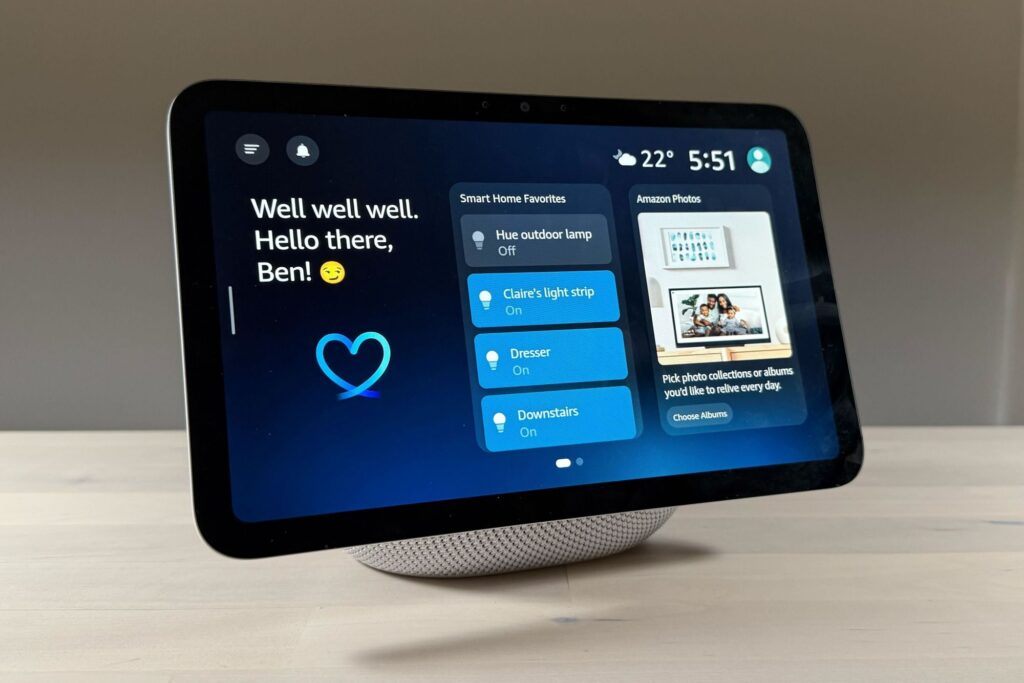
The Amazon Echo Show 8 is the most practical smart device for seniors who want to stay connected to family without dealing with the complexity of a smartphone or tablet. It handles video calling, reminders, music, weather, and smart home control, all through simple voice commands. For seniors with mobility limitations, vision problems, or arthritis, this removes nearly every barrier between them and the people they love.
Who This Is For
The Echo Show 8 is ideal for any senior who can speak clearly and hear reasonably well. It is especially valuable for those with limited hand mobility, vision issues that make small screens difficult, or anyone who finds smartphones overwhelming. If your parent can say “Alexa, call my daughter” and hear the response, they can use this device.
It is also a strong choice for adult children who want a low-friction way to check in. The Drop In feature works like a video intercom. With your parent’s permission, you can connect instantly to see and hear them without them needing to answer a call. For caregivers monitoring an aging parent from a distance, this alone is worth the purchase price.
Why the Echo Show 8
Amazon makes several Echo devices. The Echo Show 5 has a smaller screen that is hard to see across a room. The Echo Show 10 has a motorized base that rotates to follow you, which costs $100 more and adds mechanical complexity that is not necessary for most seniors. The Echo Show 15 is designed to mount on a wall like a picture frame, which requires installation. The Echo Show 8 hits the sweet spot: an 8-inch screen that is large enough to see faces clearly during video calls, small enough to sit on a counter or nightstand, and priced accessibly at around $150.
The 3rd generation model (released in 2023) includes a faster processor, better sound quality, and a spatial audio feature that adjusts sound based on the room. The camera is 13 megapixels and includes automatic framing that follows you as you move, so your parent does not need to sit perfectly centered in front of the screen during video calls.
Features That Matter for Seniors
Voice-Activated Video Calling: Say “Alexa, call [name]” to start a video call to any other Echo device, the Alexa app on a phone, or a Zoom meeting. Answering is equally simple: “Alexa, answer.” No buttons, no swiping, no unlocking. The camera automatically frames the caller so they stay centered on screen.
Drop In: This feature turns the Echo Show into a video intercom. Approved family members can connect instantly without the senior needing to answer. The screen shows a blurred image for about 10 seconds before clearing, giving your parent a moment. It is especially useful for daily check-ins with aging parents who may not always hear the phone ring or remember to call back.
Reminders and Alarms: “Alexa, remind me to take my blood pressure pill at 8 AM every day.” The reminder appears on screen with an audible alert. You can set reminders for medications, appointments, meals, or anything else. Adult children can also create reminders remotely through the Alexa app.
Smart Home Control: The Echo Show 8 serves as a hub for compatible smart devices. It can control smart lights (“Alexa, turn off the bedroom light”), smart thermostats (“Alexa, set the temperature to 72”), smart plugs, and security cameras. For seniors who have trouble reaching light switches or getting up to adjust the thermostat, voice control removes physical barriers.
Entertainment: Music, audiobooks, news briefings, weather forecasts, and recipes are all available by voice. “Alexa, play Frank Sinatra” or “Alexa, what is the weather today” or “Alexa, read my audiobook.” The 8-inch screen shows lyrics, album art, recipe steps, and weather forecasts in large, readable text.
Setup: 20 Minutes With a Family Visit
Plug it in, connect to Wi-Fi, and sign in with an Amazon account. Add contacts for video calling, set up Drop In permissions, and create any recurring reminders. The whole process takes about 20 minutes. If you are doing this for a parent, write down three or four key voice commands on a card and leave it next to the device: “Alexa, call Sarah.” “Alexa, what time is it.” “Alexa, set a timer for 10 minutes.” “Alexa, play music.”
After the initial setup, your parent does not need to touch the screen for daily use. Everything runs by voice. You can manage settings, add contacts, and adjust reminders remotely from the Alexa app on your phone.
What to Know Before Buying
The Echo Show requires Wi-Fi. It does not work on cellular data and it has no offline mode for most features. If your parent does not have internet service, you will need to set that up first.
Voice recognition is good but not perfect. Seniors who speak softly, mumble, or have a strong accent may need to repeat commands occasionally. The device gets better at understanding a specific voice over time, but it will never be 100% accurate. Hearing loss is also a consideration. The speaker gets reasonably loud, but for seniors with significant hearing loss, pairing a Bluetooth speaker or hearing aids improves the experience.
Privacy is a common concern. The Echo Show has a physical camera shutter you can slide closed, and a microphone off button that electronically disconnects the microphones. When the mic is off, a red light bar stays visible so you know it is not listening. You can also review and delete voice recordings in the Alexa app. For families concerned about Amazon collecting data, these controls provide meaningful reassurance.