Is the Philips Hue Motion Sensor the Right Choice for Your Home?
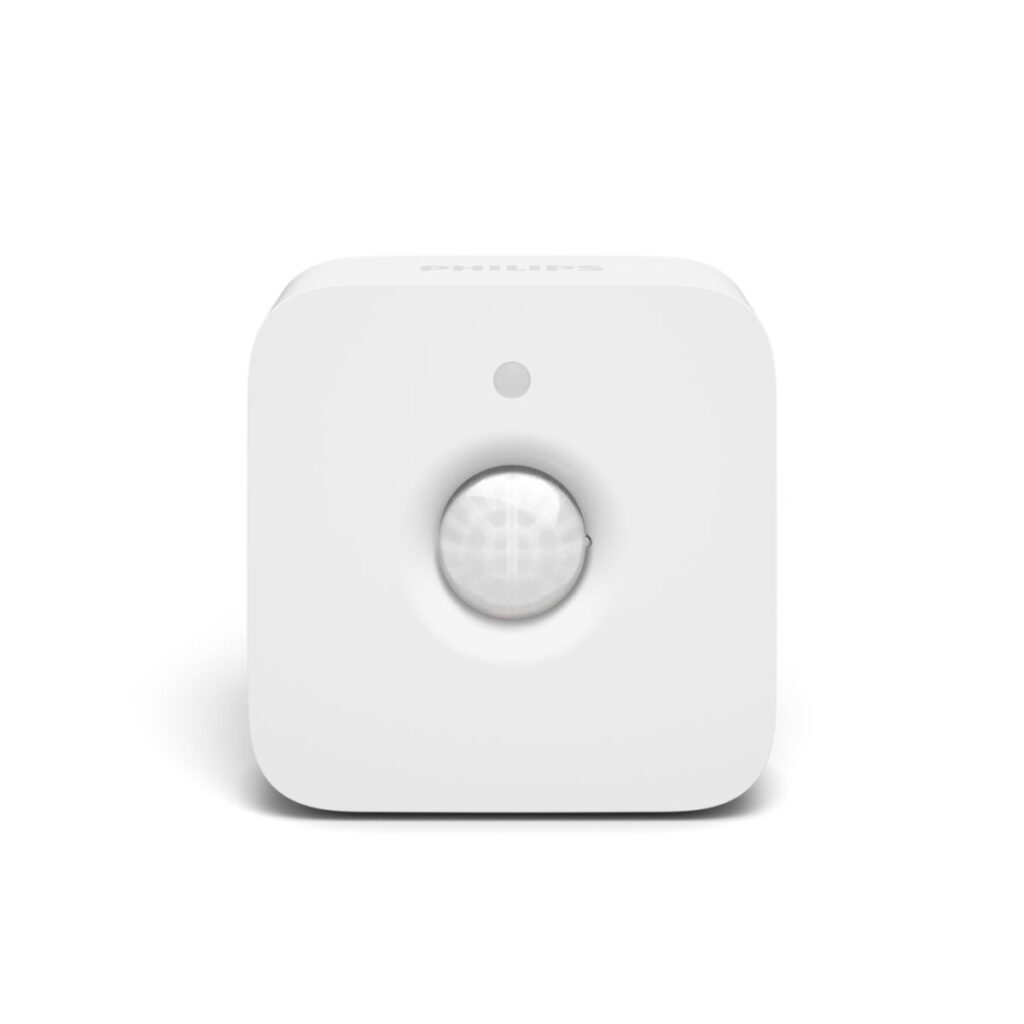
If you’re considering enhancing your home with smart lighting, the Philips Hue Motion Sensor provides a practical solution for automatically controlling lights, especially beneficial for seniors who may have mobility issues or simply want to avoid fumbling for light switches. This small device can effectively help create a safer home environment by ensuring rooms are well-lit when needed. Based on our research, it’s an excellent choice for those seeking easy-to-use, automated lighting without a steep learning curve.
For seniors, the stakes are higher when it comes to home safety, and lighting plays a crucial role in preventing falls or accidents, particularly in poorly lit areas. The Philips Hue Motion Sensor eliminates the need to manually switch lights on and off, which can be especially helpful for those with limited mobility or visual impairments. This product stands out in the smart lighting category for its simplicity and effectiveness, making it our top pick for seniors looking for automated lighting solutions.
Who This Is For (and Who It’s Not For)
The Philips Hue Motion Sensor is ideal for seniors who live independently and want a straightforward solution to improve home safety through automated lighting. It’s particularly useful in hallways, bathrooms, or any areas where reaching for a light switch might pose a challenge. If your parent or loved one frequently moves around the house at night or in low-light conditions, this sensor can offer significant benefits.
However, if your household already uses another smart home ecosystem, like Amazon Alexa or Google Home, and you’re not invested in the Philips Hue environment, you might want to look at alternative motion sensors that integrate more seamlessly with those systems. Additionally, for individuals seeking a more comprehensive security system with integrated lighting, a full-fledged smart security setup might be a better fit.
Why We Picked Philips Hue for Motion-Sensitive Lighting
Several factors make the Philips Hue Motion Sensor a standout option. Firstly, its compatibility with the broader Philips Hue lighting ecosystem ensures seamless integration with existing smart bulbs, which is a significant advantage over standalone sensors like the Lutron Caseta or GE Motion Sensors. Secondly, the ease of installation and straightforward app interface make it less daunting for seniors to set up and manage.
In comparison to other brands, Philips Hue offers superior customization options. Users can adjust motion sensitivity, daylight sensitivity, and light levels directly through the app, providing more control over lighting preferences. This level of personalization is not commonly found in many other motion sensors, making Philips Hue a go-to choice for those who value tailored settings.
Key Features That Matter for Seniors
Automated Lighting Control: The Philips Hue Motion Sensor automatically turns lights on and off, which is particularly beneficial for seniors who may have difficulty reaching switches or remembering to turn lights off, helping to prevent accidents and reduce energy costs.
Customizable Settings: This sensor allows users to customize the motion detection range and daylight sensitivity, which means it can be tailored to work only in low-light conditions. This feature is excellent for seniors who prefer minimal light at night or need specific lighting setups during different times of the day.
Integration with Philips Hue Ecosystem: The sensor seamlessly integrates with Philips Hue bulbs and the Hue app, offering a cohesive smart home experience. For seniors, this means fewer devices to manage and the ability to control everything from a single app.
Compact Design: Its small and discreet design makes it easy to install anywhere without being intrusive. This is a plus for those who prefer their living spaces to be uncluttered while still enjoying the benefits of smart technology.
Battery-Powered Convenience: The sensor operates on batteries, eliminating the need for wiring. This is particularly handy for seniors who might struggle with complex installations or who live in homes where adding wiring is not feasible.
Setup: What to Expect
Setting up the Philips Hue Motion Sensor is a straightforward process that typically takes about 15-20 minutes. Start by selecting an appropriate location for the sensor, such as a hallway or bathroom. Use the included adhesive or screws to mount the sensor securely. Make sure the area is within range of your Philips Hue Bridge for optimal performance.
Once the physical installation is complete, you’ll need to pair the sensor with your Philips Hue system using the Hue app. Ensure your Hue Bridge is connected to your home Wi-Fi and open the app to add a new device. Follow the on-screen instructions to link the sensor, then customize settings such as motion sensitivity and light duration. Testing the sensor’s range and responsiveness is a good final step to ensure it meets your expectations.
What to Know Before Buying
One of the primary considerations before purchasing is the requirement for the Philips Hue Bridge, which is sold separately. Without the bridge, the sensor will not function, so factor this into your overall budget. Additionally, there are no ongoing subscription fees, which is a positive aspect for those looking to avoid monthly costs.
However, potential buyers should be aware of some limitations. The sensor’s battery life can vary, and replacement costs for batteries should be considered. Compatibility is another aspect to keep in mind, as this sensor works best within the Philips Hue ecosystem. If you don’t have Hue bulbs or the bridge, it might be less appealing, and purchasing alternatives that work with your existing smart home setup could be more practical.