The Key Problem
When Jim’s mother Dorothy fell in her kitchen and triggered her medical alert, the ambulance arrived in seven minutes. Then the paramedics stood outside her locked front door for another four minutes, knocking and calling out, while Dorothy lay on the floor unable to get up. A neighbor finally let them in through the garage. Jim lives 90 minutes away and felt completely helpless on the phone.
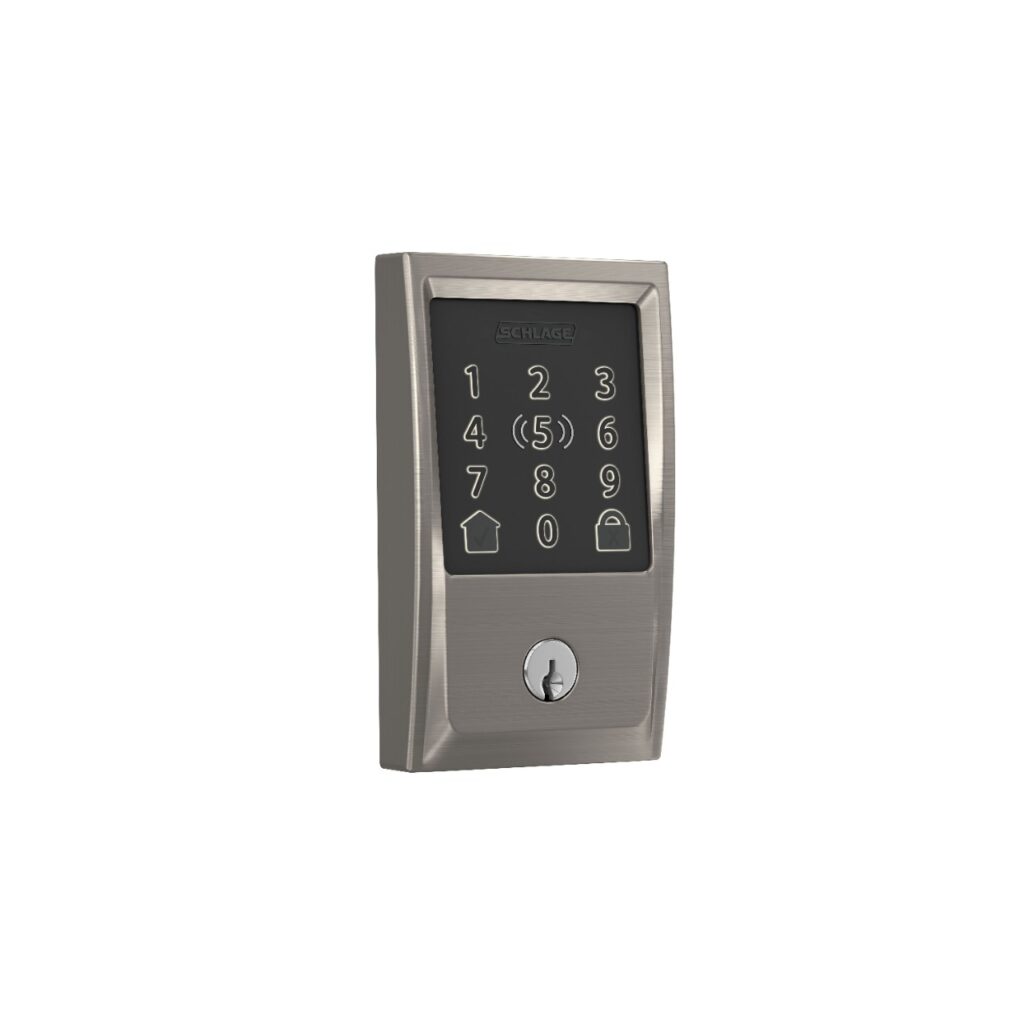
The next weekend, Jim installed a Schlage Encode Plus on Dorothy’s front door. He programmed a code for himself, one for Dorothy’s home health aide who visits three times a week, one for the neighbor, and one labeled “EMS” that he shared with the local fire department. Now when Dorothy’s home aide arrives at 8 AM on Monday, she punches in her four-digit code and walks in. No more hiding a key under the mat. No more coordinating key handoffs. And if paramedics ever need to get in again, they have a code that works immediately.
Who This Is For (and Who It’s Not For)
The Schlage Encode Plus solves a very specific problem: getting the right people into a senior’s home without relying on physical keys. If your parent has a home health aide, a visiting nurse, a cleaning service, or any regular caregiver who needs access, this lock eliminates the hassle and security risk of spare keys. It is also essential for families who worry about emergency access when they live far away.
This is NOT necessary for a senior who lives with a spouse or family member and rarely has visitors who need independent access. If someone is always home to answer the door, a smart lock is a convenience, not a necessity. It is also not the best choice for renters who cannot modify their door hardware. Check with the landlord first.
Why the Schlage Encode Plus
Schlage has been making door locks since 1920. They are the most trusted name in residential security, and the Encode Plus represents their top smart lock model. Three things set it apart from the dozens of competing smart locks on the market.
First, built-in WiFi. Most smart locks require a separate smart home hub (like a SmartThings hub or a Zigbee bridge) to connect to your phone. The Schlage Encode Plus connects directly to your home Wi-Fi network. This means fewer devices to manage and fewer potential failure points.
Second, Apple Home Key. If your parent uses an iPhone or Apple Watch, they can unlock the door by simply holding their device near the lock. No app to open, no code to type. This feature uses the same NFC technology as Apple Pay, and it works even when the iPhone battery is critically low. For a senior who struggles to remember codes, this is a significant advantage.
Third, Schlage’s commercial-grade build quality. This is a BHMA Grade 1 certified lock, the highest security rating available for residential locks. It resists forced entry, drilling, and picking better than nearly every smart lock competitor. Your parent’s security is not compromised by the convenience features.
Key Features That Matter for Families
Unique Access Codes: Create up to 100 individual codes. Give each caregiver, family member, and service provider their own code. The app logs every entry with a timestamp, so you know exactly who came and when. If you fire a home aide, delete their code remotely in seconds.
Remote Lock/Unlock: Lock or unlock the door from anywhere using the Schlage Home app. If your parent calls and says a neighbor is outside but they cannot get to the door, you can unlock it from your phone 1,000 miles away.
Auto-Lock: Set the lock to automatically engage after a set number of seconds. If your parent walks out to check the mail and forgets to lock the door, it locks itself. This feature alone provides significant peace of mind for families worried about home security.
Built-In Alarm: The lock has a tamper alarm that sounds if someone tries to force the door. Three sensitivity levels let you adjust based on the neighborhood and situation.
Physical Key Backup: Two traditional keys are included. If the batteries die, the WiFi goes down, or technology simply fails, the physical key always works. This redundancy matters for seniors who may not be able to troubleshoot electronic issues.
Setup: What to Expect
Installation takes 20 to 40 minutes with a screwdriver. If your parent’s door currently has a standard deadbolt, the Schlage Encode Plus fits the same hole pattern. Remove the old deadbolt, install the new one using the included hardware, insert four AA batteries, and connect to Wi-Fi through the Schlage Home app. No drilling new holes in most cases.
If you are not comfortable with basic DIY, hire a locksmith. Most will install a smart lock for $50 to $100 in labor on top of the lock price. This is a one-time cost for a device that will last years.
After installation, program your access codes through the app. You can also add codes directly on the keypad. Give your parent a simple code they can remember (their birth year, for example) and write it down in a place they can find it. Program additional codes for caregivers and family members, and share codes through a text message or phone call.
What to Know Before Buying
The lock requires a WiFi connection at your parent’s home for remote features. Without WiFi, the keypad codes still work for local access, but you cannot lock or unlock remotely or receive entry notifications. If your parent does not have internet, the lock still functions as a keypad deadbolt, which is still a major upgrade over hidden keys.
Battery life is approximately one year with typical use. The app and keypad both warn when batteries are getting low. Keep a pack of AA batteries in the house and replace them during your next visit when the warning appears. If batteries die completely, the physical key backup ensures your parent is never locked out.
For Apple Home Key to work, your parent needs an iPhone or Apple Watch with the latest software. Android users can still use keypad codes and the Schlage app for remote access. They just cannot tap-to-unlock. Both platforms get full access to code management and entry logs.