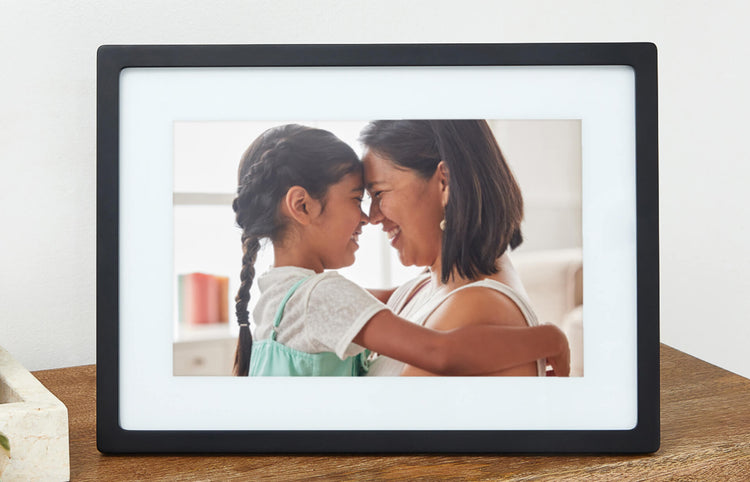
The Frame That Brings Family Closer
Sandra lives in Phoenix. Her daughter is in Seattle, her son is in Boston, and her grandchildren are scattered across three states. She sees them on holidays when schedules align, which is not nearly often enough. Last Christmas, her daughter set up a Skylight Frame on the kitchen counter and shared the email address with the whole family. Now, every morning when Sandra pours her coffee, there are new photos waiting. Her granddaughter’s soccer game. Her son’s new puppy. A selfie from her great-niece she has not seen in years. Sandra taps the heart button on each one, and the sender gets a little notification that Grandma saw it and loved it.
The Skylight Frame solves a problem that smartphones and social media never could. It brings photos to seniors who do not use Instagram, do not check Facebook, and do not want to learn another app. The photos just appear. No login, no scrolling, no notifications to dismiss. Just pictures of the people they love most, showing up like magic on a bright screen in their kitchen.
Who This Is For
The Skylight Frame is perfect for any senior who wants to stay connected to family through photos but does not want to deal with technology. It works especially well for grandparents who live alone, parents in assisted living, or anyone who has said “just send me a picture” but never actually receives one because the process is too complicated.
For adult children, this is one of the easiest gifts you will ever give. Set it up during a visit (it takes about five minutes), share the email address in a family group chat, and you are done. Every photo you send after that is a tiny act of connection that takes you 10 seconds and means the world to your parent.
Why the Skylight Frame Stands Out
There are dozens of digital photo frames on the market. Most of them require both the sender and the receiver to use an app. That is a dealbreaker for seniors. The moment you tell a 78-year-old they need to create an account and download something from the App Store, you have already lost them.
Skylight eliminates that friction entirely. The sender uses email. That is it. Your aunt who still uses AOL can send photos. Your teenager who only communicates through their phone can send photos. Your cousin in another country can send photos. Everyone already knows how to attach an image to an email, and that is all it takes.
The frame itself has a bright, 10-inch touchscreen display that shows photos in crisp detail. It automatically adjusts brightness based on the room lighting, so it looks natural on a nightstand at midnight and visible in a sunny kitchen at noon. Photos rotate in a gentle slideshow, and tapping the screen brings up simple controls: swipe to see more photos, tap the heart to send a reaction, or skip to the next image.
Features That Matter for Seniors
Email-Based Photo Delivery: Each frame gets a unique email address (like [email protected]). Anyone who knows the address can send photos. They arrive on the frame within seconds of being sent. No downloads, no accounts, no passwords for the sender.
Heart Button: This is the feature that makes families fall in love with the Skylight Frame. When your parent taps the heart icon on a photo, you get a notification that they saw it. It is a simple, beautiful form of two-way communication that does not require typing, calling, or any technical skill. For adult children, getting that heart notification in the middle of your workday is a reminder that your parent is there, engaged, and thinking of you.
Auto-Rotate Slideshow: The frame cycles through all received photos automatically. Your parent does not need to do anything. They can sit in their favorite chair and watch photos from the last week, month, or year float by on the screen. The rotation speed is adjustable during setup.
Touch Controls: The touchscreen is responsive and forgiving. Swiping moves between photos. Tapping brings up the heart button. There are no tiny icons to press or confusing menus to navigate. Skylight designed the interface for people who have never used a tablet.
Activity Alerts: Family members can see when the frame is on and when photos are being viewed. This provides a gentle, non-intrusive way to know your parent is up and about without calling to check in.
Setup: Five Minutes and Done
Plug in the frame, connect it to Wi-Fi by selecting the network and entering the password, and write down the unique email address it displays. That is the entire setup. Share the email address with family, and photos will start appearing immediately.
If you are setting this up for a parent remotely, you will need someone on-site to plug it in and connect it to their Wi-Fi network. After that, you can send photos from anywhere. There are no firmware updates to manage, no settings to adjust, and no maintenance required. The frame just works.
What to Know Before Buying
The frame requires a constant Wi-Fi connection to receive new photos. It will display previously downloaded photos without Wi-Fi, but new ones will not arrive until the connection is restored. It must stay plugged in at all times since there is no battery. Pick a spot near an outlet where your parent will see it throughout the day, like the kitchen counter, living room side table, or bedroom nightstand.
The base model includes generous storage for thousands of photos. The optional Skylight Plus plan ($39/year) adds unlimited cloud storage, video playback up to one minute, and a built-in calendar. Most families find the free tier is plenty. If you want to send short video clips of grandchildren, the Plus plan is worth it.
Photo quality is good but not professional-grade. The 10-inch screen is sharp enough for family snapshots, which is exactly what this frame is designed for. If you are looking for gallery-quality display, this is not the right product. If you want Grandma to see her grandkids’ faces every morning, it is perfect.