The 2 AM Problem
Here is how most nighttime falls happen. Your parent wakes up at 2 AM needing to use the bathroom. The bedroom is dark. They swing their legs over the side of the bed and stand up, slightly dizzy from positional blood pressure changes. They shuffle toward the hallway, hands reaching for the wall. They cannot find the light switch, or they do not bother because the bright overhead light will wake them up completely. They catch a foot on the bathroom rug. They fall.
More than half of all falls among adults over 65 happen at home, and a disproportionate number happen at night on the way to the bathroom. The root cause is simple. Dark houses and older bodies are a dangerous combination. The Philips Hue Motion Sensor does not solve every fall risk, but it eliminates one of the most common ones by making sure the path from bed to bathroom is always lit.
Who This Is For (and Who It’s Not For)
This product is primarily for adult children who want to set up automated nighttime lighting in a parent’s home. The setup requires a smartphone, the Philips Hue app, and some comfort with technology. Once configured, it runs automatically with zero input from the senior. They do not need to learn anything, press any buttons, or interact with any app. They get up, the lights come on. They go back to bed, the lights turn off.
This is NOT the right choice if you need a quick, simple solution you can install in five minutes. The Hue ecosystem requires a bridge, smart bulbs, and app configuration. If you want something simpler, a basic plug-in motion-activated night light from the hardware store costs $10 and works immediately. The Hue system is for people who want precise control over brightness, color temperature, scheduling, and multi-room coordination.
Why the Philips Hue Motion Sensor
There are cheaper motion-activated lights available. Stick-on battery lights cost $10 at any hardware store. But they have a fixed brightness, a harsh white color, and they light up a tiny area. The Philips Hue system is different because you are not adding a new light source. You are making the existing ceiling lights and lamps smart, then triggering them with motion.
The key advantage is scene control. During the day, the motion sensor can turn on lights at full brightness. After 10 PM, you can program it to activate a completely different scene. Imagine: your parent gets out of bed and the hallway lights come on at 15% brightness in a warm amber tone. Just enough to see the floor, the doorframes, and any obstacles. Not enough to blast them awake with blinding white light. The bathroom light comes on at the same low level. After five minutes of no motion, everything turns off automatically.
This kind of graduated, intelligent lighting is only possible with a smart lighting system. It cannot be replicated with a $10 plug-in night light or a basic motion-activated floodlight.
Key Features That Matter for Seniors
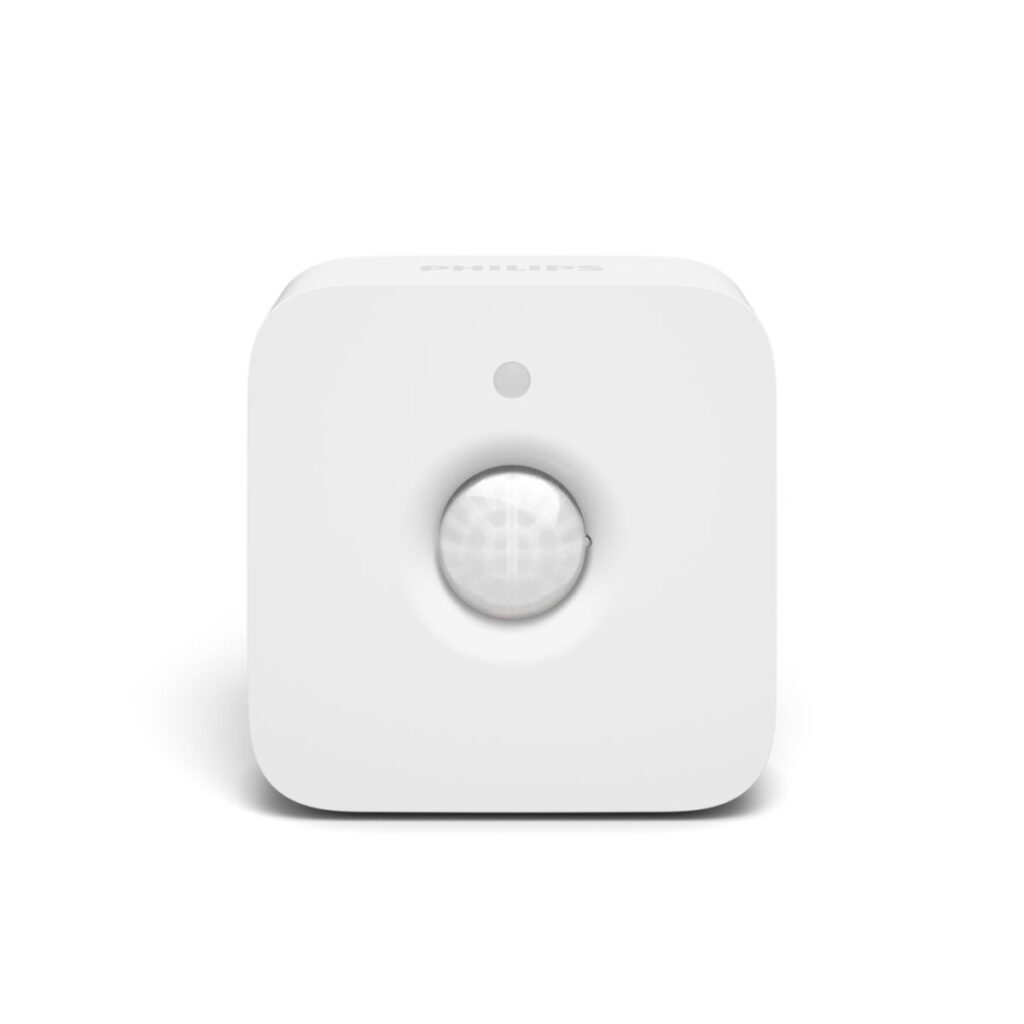
Automatic Activation: The sensor detects motion up to 16 feet away with a 100-degree field of view. Mount it in the hallway and it picks up movement as soon as someone steps out of the bedroom. No switches, no buttons, no voice commands.
Day and Night Scenes: The Hue app lets you set different behaviors based on time of day. Between 10 PM and 6 AM, trigger dim warm light. During the day, trigger full brightness. You can also set it to do nothing during daylight hours when natural light is sufficient.
Adjustable Timeout: Choose how long the lights stay on after the sensor stops detecting motion. Options range from 1 minute to over 60 minutes. For bathroom trips, 5 to 10 minutes works well for most people.
Daylight Detection: A built-in light sensor prevents the lights from turning on when natural daylight is already bright enough. This saves energy and avoids unnecessary activation during the day.
Battery Powered, Mounts Anywhere: Two AAA batteries last roughly two years. The included magnetic mount and adhesive strip let you place the sensor on any wall, shelf, or doorframe without drilling holes or running wires. You can reposition it anytime.
Setup: What to Expect
This is a “set it up during a visit” project, not a five-minute installation. Plan for about 45 minutes to an hour for a first-time Hue setup. Here is what is involved.
First, install the Hue Bridge. Plug it into your parent’s Wi-Fi router with the included Ethernet cable and connect the power adapter. This is the hub that connects all the Hue devices.
Second, swap the existing light bulbs in the hallway and bathroom with Hue smart bulbs. Standard A19 Hue bulbs screw into regular lamp and ceiling fixtures. No rewiring needed.
Third, set up the Hue app on your phone (or your parent’s phone). Add the bridge, discover the bulbs, and assign them to rooms. Then add the motion sensor and configure the automation rules: which lights to trigger, what brightness, what color temperature, and what schedule.
Fourth, mount the motion sensor. Use the included adhesive strip to place it on the wall at about waist height in the hallway, pointed toward the bedroom door. Test it by walking the path your parent takes to the bathroom. Adjust the angle and sensitivity as needed.
Once everything is configured, your parent does not need to do anything. The system is invisible to them. Lights come on when they move, and turn off when they stop. If you want remote access, link the Hue app to your own phone so you can check the system, adjust schedules, and see if the sensor has been triggering (a rough indicator of nighttime bathroom frequency).
What to Know Before Buying
The biggest surprise for most buyers is the total system cost. The motion sensor itself is about $40, but you also need a Hue Bridge ($50) and at least two or three smart bulbs ($15 each). A basic hallway-to-bathroom setup runs $120 to $150 total. If you want to add the bedroom as well, add another bulb. If you want path lighting on stairs, add a Hue Lightstrip ($50 to $80) under the stair railing.
The upside of investing in the Hue ecosystem is flexibility. Once the bridge is installed, you can add more sensors, more bulbs, and more automations over time. You can set lights to come on at sunset, create a “goodnight” routine that dims the whole house, or connect it to a Google Home or Amazon Echo for voice control.
The Hue system requires a stable Wi-Fi connection. If your parent’s internet goes down, the motion sensor and lights will still work for basic on/off, but custom scenes and schedules will not function until the internet is restored. The bridge connects to the router via Ethernet cable, so it needs to be placed near the router.