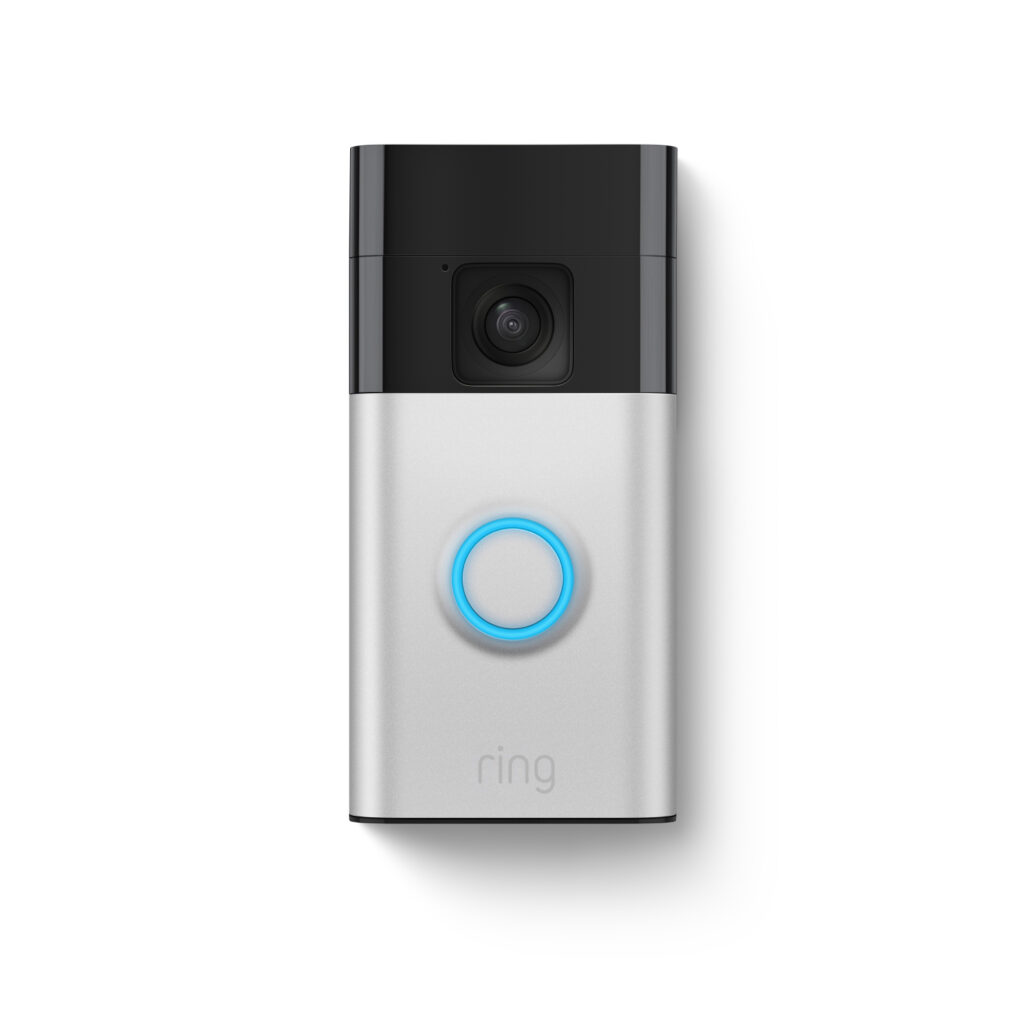
Seeing Who Is at the Door Without Getting Up
Margaret, 78, lives alone in the house she has owned for forty years. She is steady on her feet but moves slowly, and getting to the front door takes a minute or two. By the time she gets there, delivery drivers are often gone. Worse, she has opened the door to strangers she did not recognize, unsure whether they were neighbors or solicitors. Her daughter Karen, who lives two hours away, worried about that habit constantly.
Karen installed a Ring Video Doorbell on a Saturday visit. Now when someone presses the button or walks up to the porch, Margaret’s tablet chimes and shows a live video feed. She can see exactly who is there and talk to them through the speaker without leaving her chair. Karen gets the same alerts on her phone at work. When a repairman showed up a day early, Karen was able to confirm the appointment before Margaret opened the door.
That kind of simple visibility changes things. Margaret feels more in control of who enters her home, and Karen stopped lying awake at night wondering who might be knocking on her mother’s door.
Who This Is For (and Who It’s Not For)
The Ring Video Doorbell is ideal for seniors who live alone or spend long stretches of time at home without a companion. It is especially useful if your parent tends to open the door for anyone who knocks, or if they have mobility issues that make walking to the door difficult. The real-time alerts give adult children and caregivers peace of mind without requiring a camera inside the home, which many seniors find intrusive.
This is not the right fit if your parent’s home does not have existing doorbell wiring. The wired version requires low-voltage wires at the front door. If there is no wiring, you would need the battery-powered Ring model instead, which requires periodic recharging. This model also requires Wi-Fi, so it will not work in homes without reliable internet.
Why This Product
Video doorbells range from $30 budget models to $250 premium options. The Ring Video Doorbell (2nd Gen, Wired) sits at a practical middle point. At $99, it delivers reliable 1080p video, solid motion detection, and the two-way talk feature that makes it genuinely useful for seniors. Cheaper doorbells often have laggy connections, poor night vision, or apps that feel unfinished. The Ring app is polished and well supported, which matters when you are helping a parent learn to use it.
The wired installation is actually an advantage for senior households. Battery-powered doorbells need to be removed and recharged every few weeks to every few months depending on traffic. For a senior living alone, that means either climbing a ladder or waiting for someone to visit. A wired doorbell draws power continuously and never needs charging. Install it once and it just works.
Key Features That Matter for Seniors
1080p HD Video with Night Vision: The camera captures clear, detailed video during the day and switches to infrared night vision after dark. Your parent can see facial features clearly on their phone or tablet, even at 10 PM. This is important for identifying visitors before deciding whether to open the door.
Two-Way Talk: A built-in speaker and microphone let your parent have a full conversation with whoever is at the door. They can tell a delivery driver to leave a package, ask a visitor to wait, or let a neighbor know they are not feeling up for company. All without getting out of their chair.
Motion-Activated Alerts: The doorbell sends a notification to connected phones whenever it detects motion in front of the door. You can customize the motion zones and sensitivity in the app to reduce false alerts from passing cars or blowing trees. Caregivers receive these alerts on their own devices, providing a passive check on who visits.
Shared Access for Family: The Ring app lets you share doorbell access with multiple family members. Each person gets their own login and receives alerts independently. A daughter in one city and a son in another can both keep an eye on their parent’s front door without coordinating schedules.
Integration with Alexa: If your parent already has an Echo Show or Echo Dot, the doorbell can announce visitors and display the live feed on the screen automatically. Saying “Alexa, show me the front door” pulls up the camera instantly. This is easier for many seniors than opening a phone app.
Setup: What to Expect
Installation takes about 15 to 20 minutes if your parent’s home has existing doorbell wiring. You turn off the breaker, remove the old doorbell, connect two wires to the new Ring unit, and mount it with the included screws and bracket. Ring includes a small level tool and all the hardware you need. No electrician required.
After mounting, you download the Ring app, create an account, and follow the guided setup to connect the doorbell to Wi-Fi. The app walks you through each step with short videos. This is a good task for an adult child to handle during a weekend visit. Plan to spend an extra 10 minutes configuring motion zones and alert preferences so notifications are useful rather than overwhelming.
If your parent is not comfortable with smartphone apps, consider pairing the doorbell with an Echo Show tablet. The Show displays the video feed automatically when someone rings, which feels more natural than pulling out a phone and opening an app.
What to Know Before Buying
The Ring Video Doorbell works without a subscription, but the free tier only shows live views. If you want to save video clips to review later, you will need Ring Protect Basic at $3.99 per month or $39.99 per year. For most caregiving situations, the subscription is worth it because you can check footage after the fact. If your parent mentions a visitor they were unsure about, you can go back and look.
Wi-Fi strength at the front door matters more than you might expect. If your parent’s router is at the back of the house, the doorbell may struggle to maintain a stable connection. A weak signal causes delayed alerts and choppy video. Test the Wi-Fi signal at the front door before installing. If it is weak, a mesh Wi-Fi extender placed near the door will solve the problem.
Ring is owned by Amazon, and all video processing happens in the cloud. If privacy is a major concern for your family, it is worth reviewing Ring’s data policies. Video is encrypted in transit and at rest, and you control who has access to your account. Two-factor authentication is available and recommended for every account on the device.